
Data Cleaning with AI

Sheet AI
by Maxi Research
A Google Sheets™ add-on.
An Easier Way to Work with Spreadsheet Data.
Free to Use.
Spreadsheet functions are excellent for well-defined tasks. But now your data contains inconsistent names, mixed formats, or missing digits. You may also need to extract information from text. And you want results now.
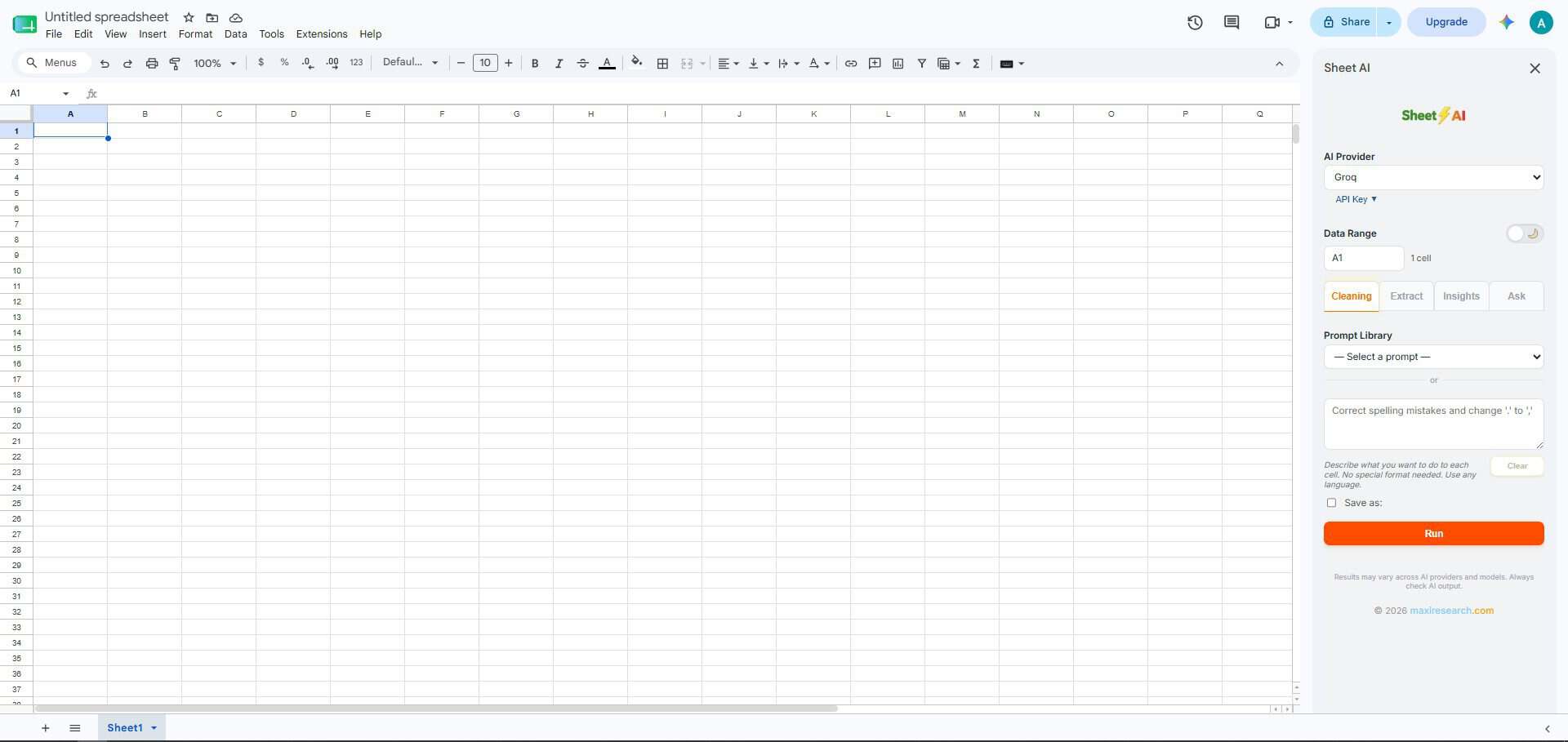
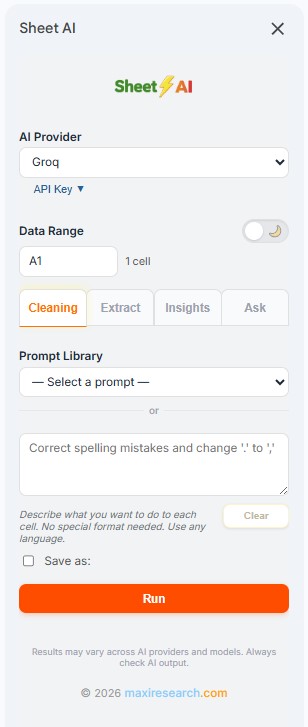
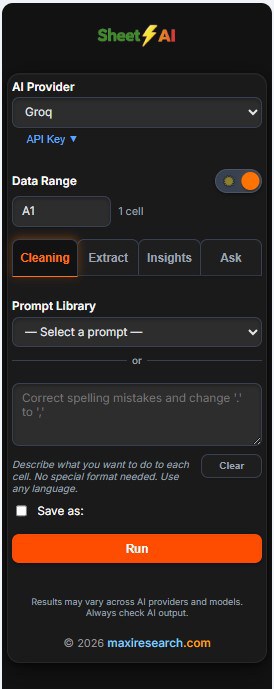
Instead of searching for a complex formula, simply describe what you want. Located in the Google Sheets™ sidebar, Sheet AI lets you work without switching between your spreadsheet and AI chat applications to copy and paste.
From cleaning data to extracting information, classifying responses, and generating insights, simply select the cells you want to work with, describe what you want done to each cell using your prompts, and review the results. Most of the time, the results are ready to use. Occasionally, you may want to edit the results or refine your prompts.
If you primarily work in Microsoft Excel, simply copy or paste your data into Google Sheets™, use Sheet AI, then copy the results back into Excel and continue working there.
Many spreadsheet tasks are repeated over and over. When you discover a prompt that consistently produces the results you want, save it in your Prompt Library and reuse it whenever you need it. Over time, you’ll build your own library of reusable solutions—custom prompts designed for your specific spreadsheet tasks, written in plain language instead of complex formulas.
To help you get started, Sheet AI includes ready-to-use prompts for common spreadsheet tasks, from data cleaning and information extraction to classification and generating insights. You can modify these prompts or add your own instructions, then save them as your own prompts for future use.
Sheet AI is free to use and comes preconfigured with AI providers offering a free tier: Groq, Gemini, and OpenRouter. You can also add your own AI providers.
Google Sheets™ is a trademark of Google LLC.
Terms of Service — Sheet AI
Last Updated: August 9, 2026
1. Sheet AI
Sheet AI is provided free of charge and is designed to assist users in cleaning, transforming, classifying, extracting information from, and analyzing spreadsheet data using AI providers selected by the user.
2. AI Providers
To generate AI responses, Sheet AI works with AI providers selected by the user. AI providers are separate services and have their own pricing policies.
Many AI providers offer a free tier with limited usage, while others require a paid API key or charge based on usage. Any fees are determined solely by the AI provider you choose and your usage under your own account. Sheet AI does not charge for using your own AI provider API keys.
3. How Sheet AI Works
Sheet AI sends only the spreadsheet cells or data range selected by the user to the chosen AI provider. AI-generated results are displayed in the response chat box, and users decide whether to paste the results into their spreadsheet.
Sheet AI only pastes AI-generated results into the selected cells. It does not make any other changes to the spreadsheet.
4. User Responsibilities
Users are solely responsible for selecting the AI provider, reviewing AI-generated results, verifying their accuracy, and deciding whether to use or apply those results.
5. AI-Generated Results
AI-generated results are produced entirely by the AI provider selected by the user. Sheet AI does not guarantee the accuracy, completeness, or suitability of AI-generated content.
6. Disclaimer of Warranty and Limitation of Liability
Sheet AI is provided “as is” without warranties of any kind. Maxi Research shall not be liable for any loss, damage, costs, or issues arising from the use of Sheet AI, the use of any AI provider, AI-generated results, or reliance on such results.
7. Changes to These Terms
These Terms of Service may be updated from time to time. Any changes will be published on this page together with an updated revision date.
8. Contact
If you have questions about these Terms of Service, please contact Maxi Research through the contact information provided on this website.
Email: [email protected]
Google Sheets™ is a trademark of Google LLC.
Privacy Policy — Sheet AI
Last Updated: August 9, 2026
1. Sheet AI Data Access and Processing
Sheet AI accesses only the spreadsheet cells or data range that you explicitly choose to process.
When you run a prompt, Sheet AI sends the selected data directly to the AI provider you have chosen. The AI provider returns the generated results to Sheet AI, which displays them in the response chat box. You can then choose whether to paste the results into your spreadsheet.
2. Your Personal Data
Sheet AI does not collect or store your spreadsheet data.
Your AI provider API keys are stored within your Google account. Sheet AI does not access or collect your API keys, and it does not monitor your API usage.
Your Prompt Library and application settings are also stored within your Google account.
3. User Control
You remain in control of your data at all times. You decide which spreadsheet cells or data range are processed, which AI provider is used, what prompts are submitted, and whether to accept, modify, or discard the generated results.
Sheet AI only pastes AI-generated results into the selected cells. It does not make any other changes to your spreadsheet.
4. Costs
Sheet AI is free to use.
Some AI providers offer a free tier, while others may charge for API usage. Any charges are determined solely by the AI provider you choose and your usage under your own account. Sheet AI does not charge for using your own AI provider API keys and is not responsible for any fees charged by your AI provider.
5. AI-Generated Results
Sheet AI displays the results generated by the AI provider you choose. Sheet AI is not responsible for the accuracy, completeness, or suitability of AI-generated results. Users are responsible for reviewing and verifying all generated content before using it.
6. Changes to This Privacy Policy
This Privacy Policy may be updated from time to time. Any changes will be published on this page together with an updated revision date.
7. Contact
If you have questions about this Privacy Policy, please contact Maxi Research through the contact information provided on this website.
Email: [email protected]
Support — Sheet AI
Last Updated: August 9, 2026
Questions, feedback, or bug reports are welcome.
Please contact: